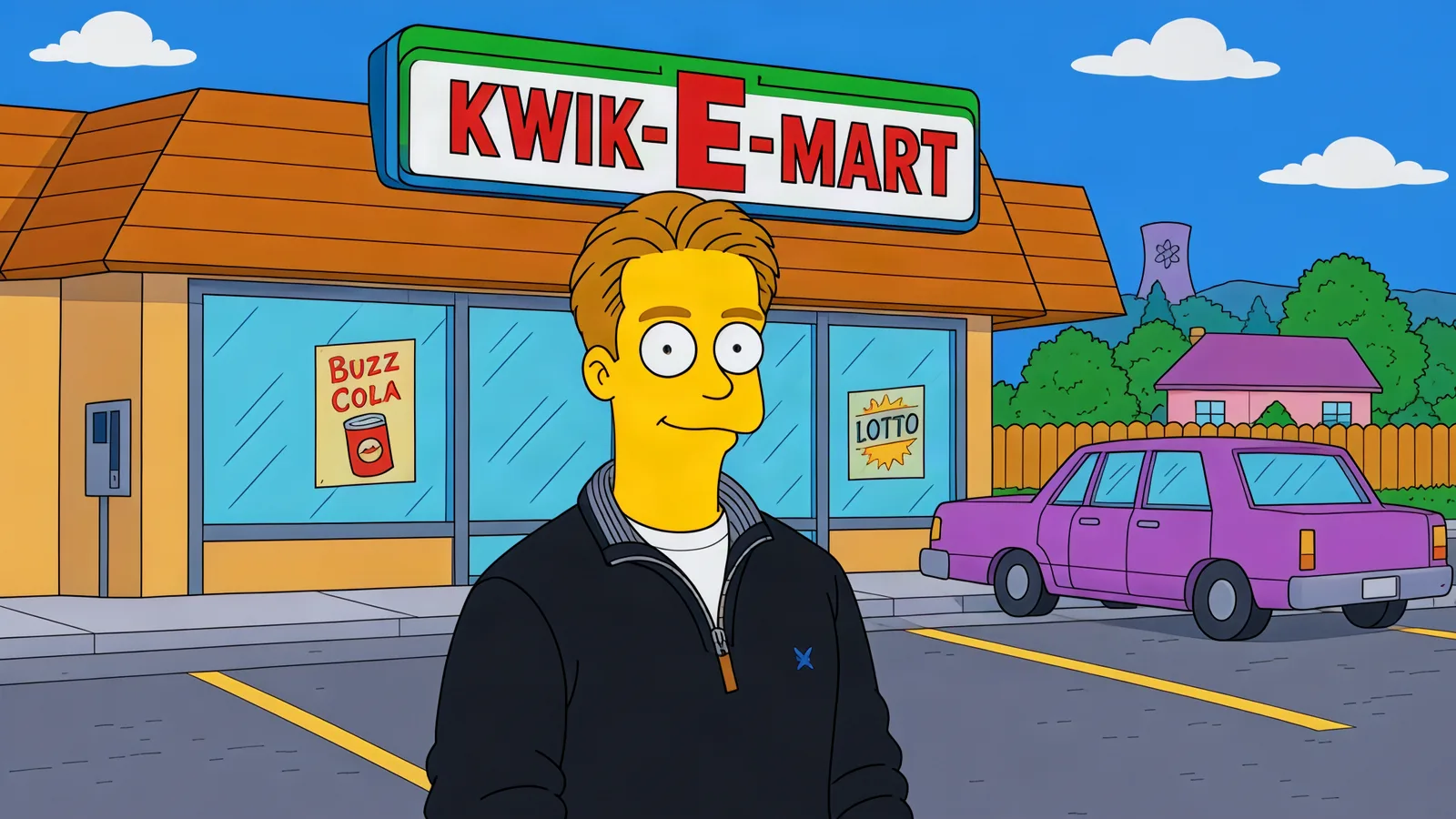
“Simpsonize me” is one of the internet’s oldest photo wishes — search “turn me into a Simpsons character” and you will find a dozen dedicated tools, most of them watermarked, paywalled, or both. The Simpsons’ Character template on Automatica does the classic version with no games: upload a selfie, become a resident of Springfield — yellow skin, the overbite, four fingers on each hand.
What the template creates
The full house style: bright yellow skin, round oversized eyes, the trademark overbite mouth line, four fingers per hand, and your hair mapped into the show’s iconic silhouettes — tall blue beehive, spiky brown, whatever your hairline becomes in Springfield. It keeps your pose and outfit from the photo, so the result reads as you, animated. It runs on GPT Image 2.5 (Flare edit), and the style conversion holds faces surprisingly well — the recognizable part of a Simpsons character is the hair and the outline, and that is exactly what the model preserves from your selfie.
How to make yours
Open the template — link at the bottom of this post.
Upload a selfie — front-facing, clear face, hair visible.
Generate — Springfield version of you, in seconds.
One input, no settings, no watermark games.
Choose a photo that gives the best result
Front-facing selfies win — the model needs your face and hair to map the style onto. Hair visible matters more than you would think: it becomes the character’s silhouette, and it is the single funniest element of a good Simpsons conversion. Bold outfit colors read best in flat animation; a black hoodie becomes a black hoodie in the show’s palette, but a red windbreaker becomes a red red windbreaker.
Template settings at a glance
Write your own variation
The template handles the default conversion. If you want a specific Springfield moment, generate it yourself with any image model on Automatica:
Redraw the person in the photo as a Simpsons character: yellow
skin, round eyes, the classic overbite line, four fingers, their
hair as [HAIR STYLE, e.g. a tall blue beehive / short spiky brown
hair]. Keep their pose and [OUTFIT]. Place them in
[SETTING, e.g. the family couch mid-couch-gag / in front of the
Kwik-E-Mart / at a Springfield Elementary desk]. Flat 2D animation
style, bold black outlines, the show's proportions and gag energy.
Turn it into a video
The motion version is the couch gag: your character walks in from the left and plops onto the family couch, ending on a freeze-frame. Upload the generated still as the first frame of any video model on Automatica (Veo 3.1, Kling, Seedance 2.5) and describe the walk-and-plop.
More templates to try
Frequently asked questions
Is this the classic 2D style or a 3D render?
Classic 2D — yellow skin, black outlines, four fingers. The show’s proportions, not a movie-render.
Can it do my whole family?
One subject per generation gives the cleanest conversion. Run each family member separately and tile them — which is exactly how the show does a family portrait anyway.
What does it cost?
Automatica is pay-for-what-you-create — no subscription, no watermark games. You pay for the generations you actually make.
Open the Simpsons’ Character template and upload a selfie — Springfield has been waiting for you.